Setup a Self Hosted GitHub Runner with Support for SonarCloud

When using GitHub actions it's pretty neat that you can use the hosted GitHub runners. However, this can get costly if you use a lot of runners and they are not always that fast at running the actions.
Luckily you can also host your own runners and while this is pretty straight forward, in case you use SonarCloud there are a few problems, read on to see how to solve those.
Setting up a GitHub Runner
You can set up a GitHub Runner on organization level or on a repository. Here we are going to set it up on an Organization level.
- Go to
https://github.com/organizations/YOUR-ORGANIZATION/settings/actions/runners - Click
New runner - Follow the guide, this is pretty simple as but remember to run your shell as administrator if you are going to run the runner as a service
You should see something like this:
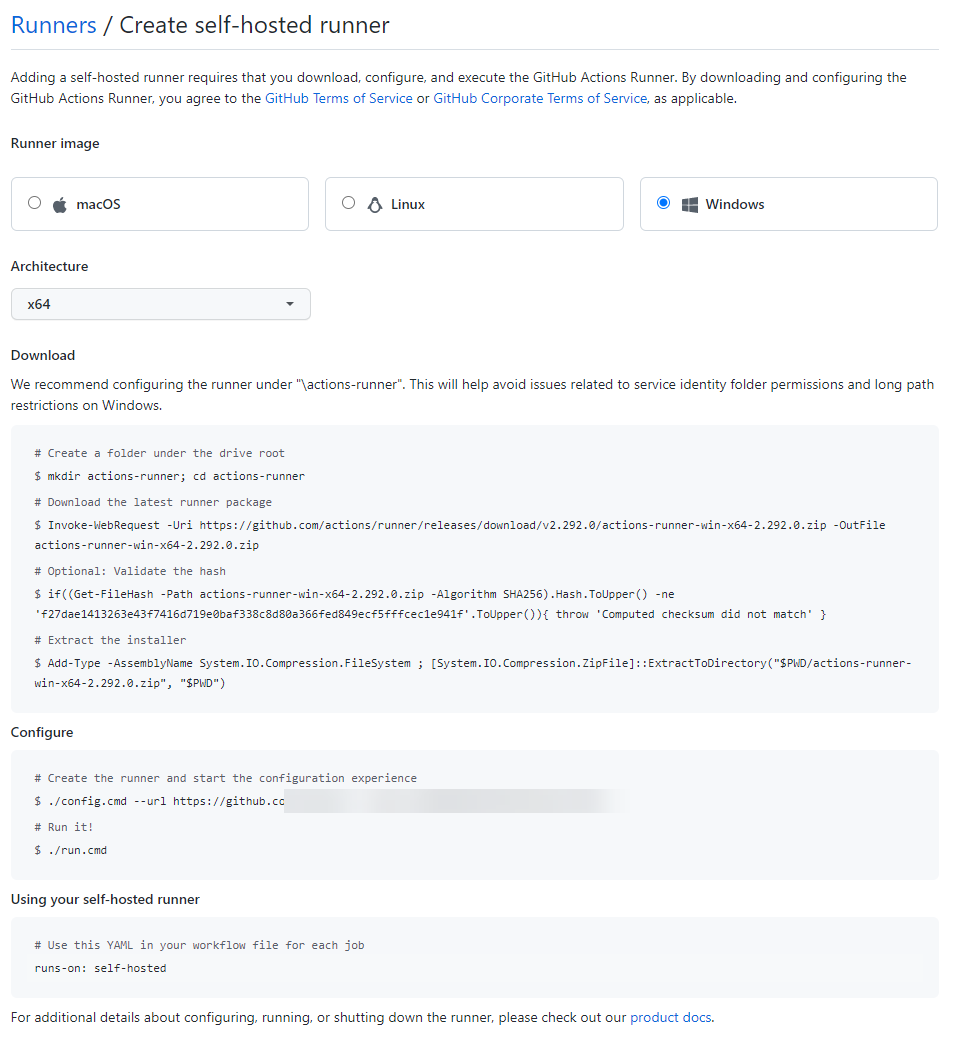
For your GitHub Actions to use your runner, remember to change the runs-on to self-hosted
SonarCloud Issues
If you are using GitHub Actions to do SonarQube analysis of your source code you will most likely get an error when using a self-hosted runner due to the fact the SonarQube need to use PowerShell scripts to run on your runner machine. Here's an example of how the error can look like:
D:\actions-runner-001\_work\_temp\3a394734-81e3-4f27-b06e-d3bcea4ecd4a.ps1 is not digitally signed. You cannot run
this script on the current system. For more information about running scripts and setting execution policy, see
about_Execution_Policies at https:/go.microsoft.com/fwlink/?LinkID=135170.
There is a open issue on Github but luckily there's also a fix in the comments, here's what it says:
- download psexec
- execute
psexec -i -u "nt authority\network service" powershell.exe - in the Powershell prompt, run
Set-ExecutionPolicy -ExecutionPolicy Bypass -Scope CurrentUser
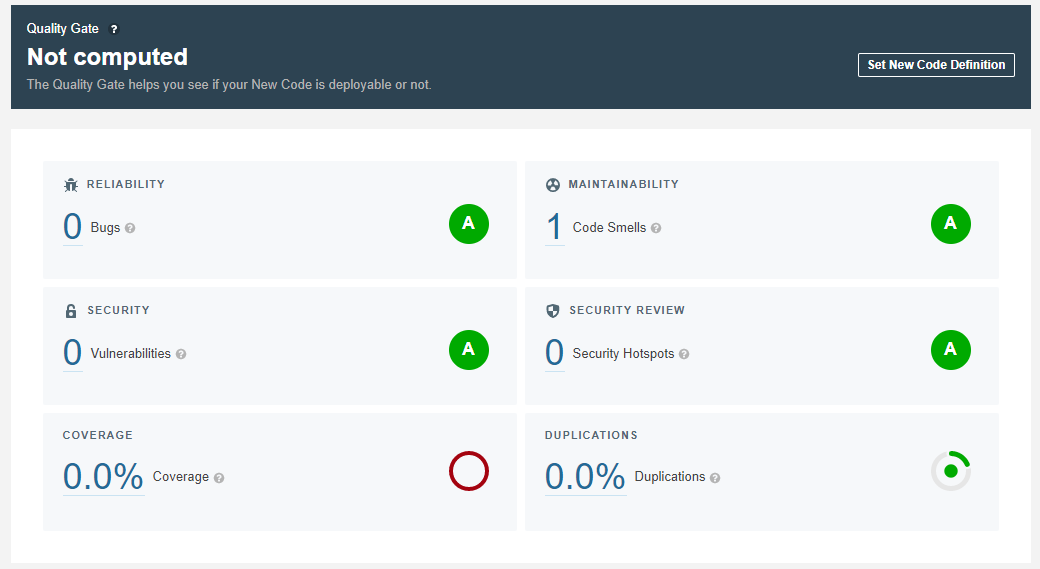
With that fix in place you should be able to run the action and in SonarCloud (or SonarQube if you have it hosted on-prem), you will start seeing results like this:
About the author
Copenhagen based cloud developer. Love to code and to make complex solutions simple!
Comments
Join the discussionNo comments yet. Be the first to comment.